
 Freda D. Cuevas
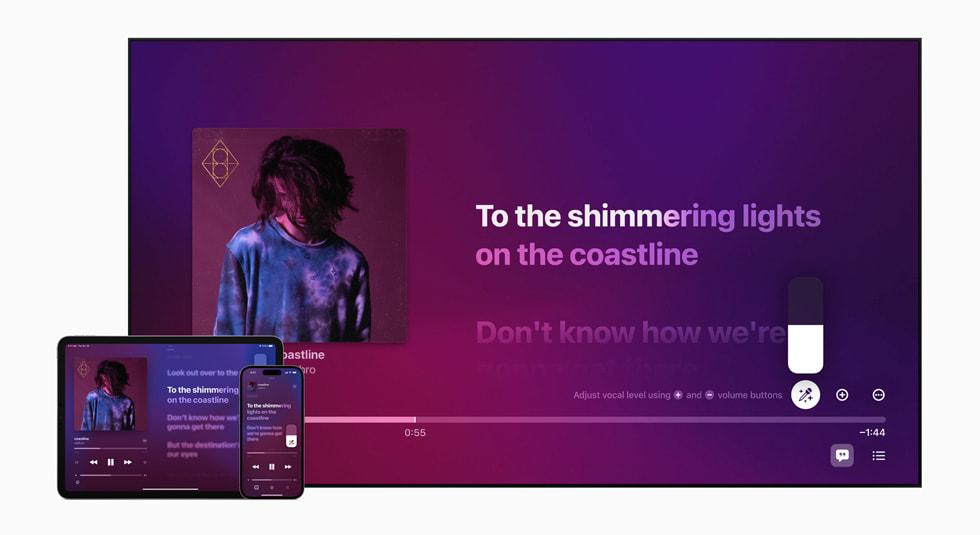
Apple announced Apple Music Sing earlier this week and it will become available once iOS 16.2 is released to the public, likely next week. But while the feature will work on iOS 16.2, iPadOS 16.2, and tvOS 16.2 devices it won’t work with them all.
That’s because not all iPhones, iPads, and Apple TV devices that support those releases will work with Apple Music Sing, a fact that Apple kept fairly quiet when it first announced the feature.
Most modern iPhones are good to go, but you’ll need the latest Apple TV 4K and iPad mini if you want to use Apple Music Sing. Only the M1 and M2 iPad Pros will support the feature, too.
Essentially, what it all boils down to according to TechCrunch is that you need to have a device with an A13 Bionic or later, which takes a lot of devices out of the equation, including many iPads. Here’s the full list of devices that Apple Music Sing will work with.
iPhones
- iPhone 11
- iPhone 11 Pro
- iPhone 11 Pro Max
- iPhone 12 mini
- iPhone 12
- iPhone 12 Pro
- iPhone 12 Pro Max
- iPhone 13 mini
- iPhone 13
- iPhone 13 Pro
- iPhone 13 Pro Max
- iPhone 14
- iPhone 14 Plus
- iPhone 14 Pro
- iPhone 14 Pro Max
- iPhone SE (third-generation)
iPads
- iPad 9
- iPad 10
- iPad mini 6
- iPad Air 4
- iPad Air 5
- M1 iPad Pro
- M2 iPad Pro
Apple TVs
Using an older device? You’re going to have to upgrade if you want to use Apple Music Sing.

The Apple Music Sing feature lets you sing along to your favorite songs in a way that will be immediately familiar to karaoke fans. The feature works with tens of millions of songs, and Apple has 50 playlists available to help people find the very best ones to sing along to.
You may also like to check out:
- Download: iOS 16.1.2 OTA Profile File, IPSW Links Out Now
- How To Fix Bad iOS 16 Battery Life Drain [Guide]
- Jailbreak iOS 16.1.2 On iPhone And iPad Latest Status Update
- iOS 16 Compatible And Supported iPhone, iPad, iPod touch Devices
- iOS 16 Hidden Features: 100+ Changes Apple Didn’t Tell Us About
- Download: iPadOS 16.1 Final OTA Profile File, IPSW Links Released
- Download iOS 16 Final IPSW Links And Install On iPhone 13, Pro, 12, Pro, 11, Pro, XS Max, X, XR, 8, Plus [Tutorial]
You can follow us on Twitter, or Instagram, and even like our Facebook page to keep yourself updated on all the latest from Microsoft, Google, Apple, and the Web.


